Showing posts with label articles. Show all posts
The MP3 File Format
The MP3 File Format
by Kevin Bonsor, Jeff Tyson and Craig Freudenrich, Ph.D.

The MP3 file format revolutionized music distribution in the late 1990s, when file-swapping services and the first portable MP3 players made their debut. MP3, or MPEG Audio Layer III, is one method for compressing audio files. MPEG is the acronym for Moving Picture Experts Group, a group that has developed compression systems for video data, including that for DVD movies, HDTV broadcasts and digital satellite systems.
Using the MP3 compression system reduces the number of bytes in a song, while retaining sound that is near CD-quality. Anytime you compress a song, you will lose some of its quality, which is the trade-off for the ability to carry more music files in a smaller storage system. A smaller file size also allows the song to be downloaded from the Internet faster.
Consider that an average song is about four minutes long. On a CD, that song uses about 40 megabytes (MB), but uses only 4 MB if compressed through the MP3 format. On average, 64 MB of storage space equals an hour of music. A music listener who has an MP3 player with 1 GB (approximately 1,000 MB) of storage space can carry about 240 songs or the equivalent of about 20 CDs. Songs stored on traditional CDs are already decompressed, so it takes more CDs to store the same amount of songs. (Some CDs support MP3 files.)
Although MP3 is perhaps the most well-known file format, there are other file formats that can be played on MP3 players. While most MP3 players can support multiple formats, not all players support the same formats. Here are a few of the file formats that can be played on different players:
- WMA - Windows Media Audio
- WAV - Waveform Audio
- MIDI - Music Instrument Digital Interface.
- AAC - Advanced Audio Coding
- Ogg Vorbis - A free, open and un-patented music format
- ADPCM - Adaptive Differential Pulse Code Modulation
- ASF - Advanced Streaming Format
- VQF - Vector Quantization Format
- ATRAC - Sony's Adaptive Transform Acoustic Coding 3
How to Pick an MP3 Player for Children
How to Pick an MP3 Player for Children
By S.F. Heron, eHow Contributor
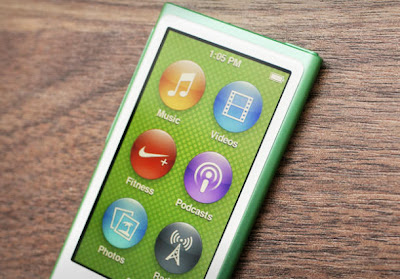
MP3 players are all the rage today among kids of all ages. These portable music storage devices are small and easy to use and children of any age can operate and enjoy using these wonderful devices. Most MP3 players come equipped with a set of ear buds so parents aren’t plagued with having to listen whatever song is the flavor of the moment. There are many MP3 players targeted for kids and it’s up to you as a parent to make the best choice by taking many things into consideration.
Instructions
1. Many MP3 players are available for use by children. The prices range from $25 to $100s per player, and the music downloads can be costly too. Choosing a reasonable player requires a little thought on the part of the parent because many electronic devices are basically obsolete soon after purchase. The hope for this purchase is that your child will get a few years use out of their MP3 player.
2. Take into account your child’s age. Little ones don’t need all the features that older kids will use and love. Ease of use is very important. Remember that you’ll probably be showing younger children how to load their music and choose music download files. There are plenty of different MP3 players that fit the various age groups (see Resources).
3. Consider the durability of the player. Kids will drop things frequently, so it makes no sense to buy a 5-year-old an expensive device with a glass screen. Choose a player that matches your child’s intended use.
4. Consider the amount of battery charge available on the player. It’s very easy to grab an MP3 player, run home and load music. It really stinks when your player doesn’t hold a charge for more than a few hours. Make sure you choose a player that holds a reasonable amount of charge. Disney sells some basic and relatively cheap MP3 players for younger kids. These Mix Sticks MP3 players hold a charge for up to 8 hours.
5. Consider how much storage space your child will really need. Basic MP3 players come with 512MB (that’s megabytes) of storage, which translates into about 4 hours worth of songs. Although it seems like a lot, it isn’t. Consider that your kids will be putting songs onto their player and most likely, never taking them off. The 512 MB is great for a younger child but it’s definitely not enough space for a teenager. Larger storage capacities range from 1GB (gigabyte) that can hold 1,000 songs to 16GB, which can hold songs and video galore. Ipod Nano falls into the 1GB category with a reasonable amount of storage space, durable exterior and a moderate price. Ipod Itouch’s top model is 16GB and that’s reflected in the price.
6. Consider other features such as video capability, voice recording and playback, FM radio access, file sharing, and expandable memory. All of these features are available on higher end model MP3 players. IGO M3 player offers a cute little MP3 player that has many added features as does the Creative Zen V Plus MP3 player. Ask yourself how long your child will be using the player and exactly what extra features are reasonable.
7. Set your price range and stick to it. There are such a great variety of players that it’s entirely possible to get a very reasonably priced player to fill your child’s needs for a great price.
How to Use Portable Music Players with Home Audio Systems
How to Use Portable Music Players
with Home Audio Systems
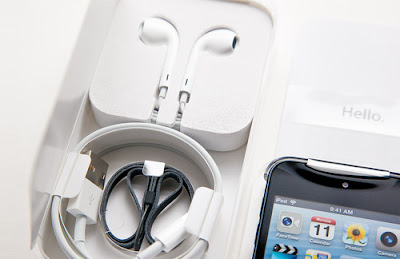
Portable music players are great for taking your music with you anywhere, making it convenient to listen to what you want, when you want to. You can increase the usability of your portable CD player, or other music player, by connecting it to your home audio system. Many newer stereos have a dock, a place to connect an MP3 player. If your home audio system isn't capable of one of these connections or if you aren't using an MP3 player, follow these steps to find out how to connect your music player.
Connecting to Your Home Stereo:
1. Make sure that your home audio system is equipped with an auxiliary or "aux" mode. In some cases, your home audio system "AUX" mode might be labeled as "Line In" or "MP3 Input." Be sure to turn down the volume on both your stereo and your music player before you connect them and make sure they are both turned off. Make sure your music player is fully charged or has new batteries. Read through the user manual for you home audio system to learn how
2. Connect you music player to your home audio system. Plug the 3.5-mm end of the transfer cable directly into your "Line Out" or "Headphone Output." Because music players are so compact, you may see a symbol, usually little headphones, instead of text marking the headphone output.
The RCA side of the transfer cable will have two ends, usually red and white. Plug these into the AUX input on your home audio system. Your home audio system may have color ports matching the cable. The red one is for your right speaker, and the white one is for your left (mono) speaker. Once everything is plugged in, power on both devices.
3. Adjust your home audio system output mode to "AUX" or "Line In." If your home audio system has a remote control, press the input button to cycle through your various input options until you get to AUX. If your stereo doesn't have a remote, look for a button (or buttons) labeled AUX, Tape and CD.
4. Tune your music player to any song and press "play" to test the connection. Slowly increase the volume control on each device until you reach your desired volume level.
MP3 player/media players
MP3 player/media players

What to look for
Memory
The amount of memory will determine how much music you will be able to store on your MP3 player. Models range from 1GB (enough room for up to 240 songs) right up to 160GB (enough room for up to 40,000 songs or 200 hours of video). If you choose a lower capacity you’ll be able to change the songs on your player but you’ll have to swap them around on your computer first. With a higher capacity model you’ll be able to access your entire collection at any time. A higher capacity is also useful if the player is capable of storing other types of media e.g. photos and videos.
The majority of the MP3 players we sell use flash drives and are lightweight and durable. Because they have no movable parts, this also makes them ideal for use on the move - while jogging or travelling. Higher capacity models such as the iPod Classic use hard drives (similar to those in a computer) enabling them to store more information.
Audio formats
An MP3 file is one of a number of different music files that are available. You’ll need to check the compatibility of your player before purchasing music online. Other similar formats include:
- WMA: Windows Media Audio
- WAV: Windows Audio-Video-Format
- AAC: Advanced Audio Codec (Used by iTunes)
- ATRAC: Adaptive Transform Acoustic Coding (Used by Sony products)
- AIFF: Audio Interchange File Format
Video formats
There are several video file formats available. You’ll need to check the compatibility of your player before purchasing movies online. Formats include:
- MOV: QuickTime
- MP4: MPEG-4 Part 14
- M4V: MPEG-4 Part 14 (Used by iTunes)
- H.264/AVC
- WMV: Windows Media Video
- MPEG-2: Moving Pictures Expert Group 2 file
How do MP3 player/media player work
How do MP3 player/media player work

MP3 is short for Motion Picture Experts Group 1, Audio Layer 3 - the standard technology and format for compressing a sound sequence into a very small computer file (about a twelfth of the original size), while still sounding like a faithful reproduction of the original to most listeners.
Loading music
Transferring music from your PC to the player is not a complicated process. Software is provided with most MP3 players (or downloaded from the manufacturer’s website), which enables music to be transferred via a cable. This same software will also convert music on a CD played in your computer into MP3 format, subject to copyright, in a process known as ‘ripping’. You will need an internet connection to download music from online stores such as iTunes. Find out more about downloading music in our expert article.
Loading movies
As the law currently stands, it’s illegal to circumvent the copy protection on DVD or Blu-ray discs, even for fair use purposes. This means even if you own the latest blockbuster DVD, there is no option with the supplied software to ‘rip’ the movie to your player.
The iTunes store sells movies as well as individual episodes of popular TV shows. Some MP3 players also offer compatibility with BBC iPlayer, so you can download that episode of EastEnders you missed for playback when and where you want.
Owners of Blu-ray players might be interested to know an increasing number of Blu-ray movie titles are being released with a ‘digital copy’ included on a separate DVD disc. This ‘iPod-friendly’ version of the film can be imported directly into iTunes via your computer’s DVD drive for transfer to your player.
Connections
MP3 players typically connect using USB, USB 2.0 or FireWire ports. Transferring a song via USB 2.0 or FireWire is twice as fast as USB and takes a matter of seconds. Top of the range players have built-in Wi-Fi, enabling you to purchase music from online music retailers through your wireless broadband router, or while out and about through public Wi-Fi ‘hotspots’.
Introduction how to mp3 players work
Introduction how to mp3 players work
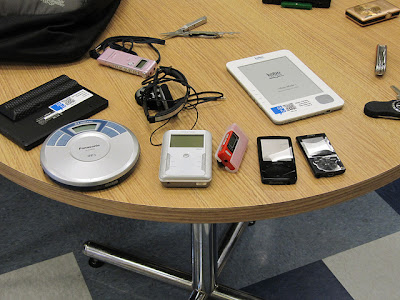
The MP3 player is the most recent in an evolution of music formats that have helped consumers enjoy their tunes. Records, 8-track tapes, cassette tapes and CDs -- none of these earlier music formats provide the convenience and control that MP3 players deliver. With an MP3 player in hand or pocket, a consumer can create personalized music lists and carry thousands of songs wherever
they go.
All of that stored music and the MP3 player itself fit into a device that, in some cases, weighs less than one ounce. Portability is a large factor in the popularity of the MP3, considering the ease of transportation in comparison to a CD player and CD storage case. In addition, some devices provide additional technology, like video and photo viewing, alarm and calendar functions, and even cell phone and Internet service.
In this article, you'll learn more about the technology inside MP3 players and the different types of players available. You'll also find out how to get tunes and how you can accessorize your player.
How Do You Set Up an MP3 Player?
How Do You Set Up an MP3 Player?
by Robert Vaux
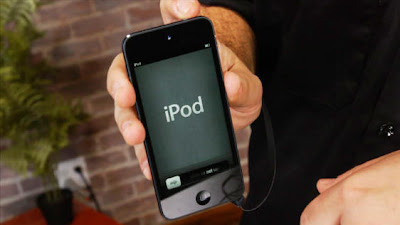
It's helpful to think of an MP3 player as an extension of your computer, containing the music and movie files from the hard drive and allowing you to carry them anywhere. Once you understand that, setting it up becomes extremely easy -- you simply need to connect the player to the computer and copy the needed files over.
SOFTWARE
In some cases (such as with Apple's iPod) specialized software exists to facilitate the uploading process. The specifics depend on the precise model of MP3 player you own. If yours has software, start by installing it in your computer (it should be included in the MP3 player's box). This usually amounts to placing the software disc in your disc drive and following the onscreen instructions. If your payer doesn't use software, then you can disregard this stage.
SONGS
With the software installed, the next step is to create MP3s of the songs and movies you want on your player. Open the MP3 software in your computer (if necessary) and copy any songs, movies or videos you wish to place on your MP3 player. The precise method depends on the software. In many cases, you can place a CD into the computer's disc drive and copy the songs into the program. You can also buy and download songs using online services such as Amazon.com and iTunes' store. If you want to include movies, you can download digital copies from the same source, or obtain a digital version included in many DVDs.
HOOKING UP THE PLAYER
The final stage entails connecting the MP3 player to the computer using the connecting cable that came with it. If you're using software, an image of the player should appear in the software window. From there, you can select which songs or movies you want to include on the MP3 player, then click the "Sync" or "Update" button to upload them onto the player. You can also set the software to automatically synchronize your MP3 player every time you connect it to the computer. If your MP3 player doesn't use software, then click and drag the MP3 files containing the songs and/or movies you want onto the player's icon on the desktop. In both cases, it may take a few minutes to upload everything, so be patient. Disconnect the MP3 player from the computer when you have finished uploading and the computer informs you that it is safe to do so. Plug the ear buds into the MP3 player and test a few songs to make sure they uploaded safely. (Note that MP3 players have a space limit, which means you may not be able to fit all the songs in your collection to a given MP3 player.)
How to Install an MP3 Player
How to Install an MP3 Player
By Jason Gordon, eHow Contributor
First the Walkman, then the Discman, and now the MP3 player has taken over the world of portable music. Utilizing the advantages of digital music and storage technology like hard discs and flash memory, MP3 players come in many shapes, sizes, and styles. Luckily they all function similarly.

Instructions
1. Power on the computer. Connect the charged MP3 player to the computer via its docking station or USB cord. Power on the MP3 Player. A popup bubble should indicate the player is installing. Most MP3 players are plug-and-play compatible.
2. Install the software. If the MP3 player does not automatically install, insert the software CD that came with the MP3 player to install it and any software package that came with it.
3. Check the installation by attempting to transfer files onto the player. Navigate to "My Computer" and open up the MP3 Player by double-clicking on its icon.
4. Drag MP3 files from your computer to the MP3 player's folder. When finished, disconnect the player from your computer by using the "Safely Remove Hardware" icon in the taskbar.
5. Unplug the USB Cable. Plug in the headphones, and listen for your music.
How to Buy an MP3 Player
How to Buy an MP3 Player
Whether you want to get your groove on while working out or would like to amuse yourself as you commute on public transit, a portable MP3 music player could suit your needs. MP3 players--available in a wide variety of styles and sizes and capable of storing thousands of songs--capitalize on digital technology to supplant traditional Walkman-style cassette-tape players and portable CD players.
The Big Picture Today's players pack loads of songs, and the devices are easy to manage, too. We'll help you figure out which one is best for you.more
The Specs Explained The storage capacity and battery life of an MP3 player can have a big impact on how much you enjoy it. We'll explain what's behind these and other specifications.more
MP3 Player Shopping Tips Our advice will help you find the right MP3 player for your lifestyle without paying too much.more
The Big Picture
A portable digital audio player sets your music free so you can easily mix and match songs in any order and take the tunes with you. MP3 players use one of two storage mediums: hard drive or flash memory. Hard-drive players offer the greatest amount of storage space but tend to be larger and more susceptible to damage due to the fragile nature of hard disks. For the most part, flash-memory models hold a more limited number of songs, but their lack of moving parts makes them more durable than hard-drive players.
Nearly all MP3 players require that you have a reasonably modern PC with a free USB 1.1 or 2.0 port. Your songs will load much more quickly with the latter. As you begin creating your music collection on the computer, you may want to upgrade your hard drive to be able to store more files.
Specialized MP3 players are not the only devices you can buy to listen to your music: You can now get mobile telephones, thumb drives, digital cameras, personal digital assistants, and car stereos that can store and play back MP3 music files. Even many pocket-size voice memo recorders can also record and play back MP3 files. But a word to the wise: Dedicated MP3 players usually sound better and often have more user-friendly controls than hybrid units, although devices like the Apple iPhone are beginning to wear this assumption down.
Storage: The greater the storage capacity, the more songs you can take with you. Hard-drive-based players hold the most--currently, the highest capacity we've tested is 80GB (which can accommodate about 20,000 MP3 songs ripped at 128 kilobits per second). The latest (and most expensive) flash-based players we've tested can hold up to 8GB of music (about 2000 MP3 songs ripped at 128 kbps).
File management: MP3 files include ID3 tags, metadata embedded within each song file that provides artist name, song title, and album name information to the player. Working with this data, a player can organize the files for you, though each does so in its own way. Most players have a built-in LCD screen; look for one that shows the information you use most.
Transfer speed/port type: Downloading 5GB of songs all at once from your PC using a USB 1.1 interface can take all night. Almost all new players employ the much faster USB 2.0; but if speed is important, ensure that your player of choice supports the faster standard before you buy.
Tag :
articles,
best mp3player,
How to Buy an MP3 Player,
mp3,
mp3 player,
mp3player,
music,
mv,
song,
video
MP3 Players Buying Guide
MP3 Players Buying Guide

MP3 Players are digital audio players that can store, organize, and play various formats of audio/music files. It's the latest rage for youngistan - young shoppers in India love MP3 Players. Download favorite music over to this little portable electronic device, slip it in your pockets and go about your routine tasks enjoying the music at the same time.
Music has always occupied a central place in the imagination of us Indians so have music players. While some of us may like simple melodies from Hindi films, there are many who just can't do without "their" kind of music. The choices may range from classical to regional, pop to hard rock, sufi to folk... the list goes on.
A music system is one item you can find in almost every Indian home. If it was the Record/LP Players which our grand-parents used, our parents switched to Cassette Players in their time. With changing times and busier life-styles, however portable music players have been in more demand and it is the music on the go that today's generation demands.
You are likely to find portable music player market flooded with many different kinds of models. It's the digital audio players, however, which are the current rage. Commonly referred to as MP3 Players, the digital audio players find favour due to the ease with which you can store, organize and plays audio files and because these are available in different sizes with varying memory capacity.
The plethora of options bring in its wake another difficulty. Which one do you actually go in for?
Almost every month you'll find manufacturers announcing new MP3 player models with divergent features. Then of-course there's an ongoing format war, which means that you have to ensure the MP3 player you choose plays the digital audio files you have currently or would acquire in future. You also would like to learn about the features on offer and would want to go in for a MP3 player that has the ones you will really put to use. A digital audio player from a brand that is known and reliable makes the task of choosing the MP3 player easier. Last but not the least, the price! The MP3 Player should be able to offer all you desire but it should also suit your budget!
Tips for choosing a Portable MP3 Players
Tips for choosing a Portable MP3 Players
by AUNINDITA BHATIA

Shopping for best of portable MP3 players is fun. However, you need to decide a few things in advance. You need to first know the type of features which meet your requirements. For instance, you might be looking for a MP3 player, which is pocket size, that’s easy to pack when you go on vacation or maybe one that may have more features. It basically depends completely on personal requirements.
MP3 players available by many companies and they are available in many styles, sizes and colors. The features offered by each one of them differ widely and they work on various formats as well. However, while you hunt among the many portable MP3 players, there are few things you should look out for:

1. Good Quality Speakers
Portability is great, but if you don’t have good quality speakers, then you won’t be able to hear your tunes very well. Make sure that your portable MP3 players still have a good speaker. You can even buy units that are equipped with stereo speakers or those that have external speakers you can connect using in input cord.
2. Battery Life
When it comes to portable MP3 players, you want one that has a long battery life. The very essence of a portable player is the fact that you can take it anywhere you wish. That won’t work very well if your player’s battery runs down quickly and you are always searching for a place to recharge it.
3. USB connectivity
Portable MP3 players should have USB connectivity if you know that you are going to be transferring songs and other data back and forth from your computer. This is a very easy and handy format that most people understand how to operate.
4. Touch Screen
Another good feature to have on portable MP3 players is a touch screen. Touch screens are showing up on just about everything from our cell phones to our laptops, and this makes it much easier to operate your MP3 player.
5. Ability to Play Multiple Formats
Some portable MP3 players are proprietary and only play their own brand of music or other files. Try to look for a brand or model that lets you play more types of audio files, such as .wav, .wma, etc. Some of the more expensive brands can play both Mac and Windows format files, as well as multiple audio files.
6. SD Card Slot or Other Memory Card Slot
If your portable MP3 player have a memory card slot, it also makes it very easy to add or delete media files for your player. Plus, it improves your capacity and you can buy SD cards in varying sizes from 512 megabytes to u to 16 or 32 GB.
Budget shopping tips: MP3 players
Budget shopping tips: MP3 players
by Donald Bell
If you're on a budget and shopping for a new MP3 player, here are a few general tips for locking down a good deal.
First and foremost, do some math so you can get a realistic idea of how much storage you'll need for all the music, photos, and video you want to take on the go. The less storage you need, the cheaper the price. If an MP3 player includes a slot for memory expansion, you can always increase the capacity down the road.
Also, be realistic about the features you need. MP3 players that support video playback are fun at first, but few people have the time to transfer and watch video on a regular basis. You can find great audio-only MP3 players for under $50, but a decent video-capable device is hard to find for less than $100.
If you're specifically shopping for an iPod, you're going to have a tougher time snagging a bargain. Apple keeps a tight leash on prices, and sales are scant. You can always shop Apple's selection of refurbished iPods, available directly through the company's online store. College students and faculty can also take advantage of Apple's annual Back to School promotion, which takes place June through August, and typically offers specially priced bundles of iPods and Mac computers.
Back-to-school sales aside, we recommend not buying an MP3 player in late summer if you're after the latest and greatest tech. Apple and Microsoft typically release their new models in the fall. That said, if you're OK with being a step behind, summer sales can be a great way to snap up deals as stores clear their shelves of last year's models.
How to Use an MP3 Player for Beginners
How to Use an MP3 Player for Beginners
By Chris Anzalone, eHow Contributor
MP3 players allow you to carry hundreds or even thousands of songs on one tiny hard drive. With a few clicks, you can navigate through an entire music collection while on the go and move seamlessly between songs for hours at a time. If you have never used an MP3 player or still consider yourself a novice, do not fear. Most companies design their players with user-friendliness in mind.
Instructions
1. Install the software that came with your MP3 player. This will allow you to transfer music directly to your MP3 player using your computer. Just insert the CD-ROM and follow the on-screen installation instructions.
2. Find music for your MP3 player. You can use MP3s already available on your computer, you can purchase MP3s from an online music store or subscription site like Rhapsody or Napster or you can burn CDs onto your computer and copy the MP3s to your MP3 player software. If using an online music store, make sure the music is compatible with your brand of MP3 player. For example, iTunes music comes formatted specifically for the iPod, and music from the Zune Marketplace comes formatted specifically for the Microsoft Zune.
3. Plug your MP3 player into your computer. Typically your device will come with a cable that connects to your computer via USB. Just connect to any free USB port and wait for the MP3 player to appear among your drives.
4. Copy songs to your MP3 player. Using your newly installed software, you can transfer your MP3s directly onto your device. Some MP3 players will even allow you to create custom playlists, where you can organize your music into folders according to album, artist or any other classification of your choosing.
5. Unplug your MP3 player from your computer. Some models will require you to first eject the device from your computer electronically, which you can do by clicking an "Eject" button on the browser window of your MP3 player program.
6. Navigate your MP3 player menu. If your device includes a menu, you can scroll up or down between songs and playlists either by sliding your finger along the scroll wheel, or by clicking the up and down arrows, depending on your model of MP3 player.
7. Begin playing when you reach a song that you want to hear. On your device, you should see a button that resembles a triangle turned on its side. This is the universal symbol for "Play." In most cases, this button will double as a "Pause" button.
8. Fast forward and rewind by clicking and holding the left and right arrow buttons. Holding the left arrow will rewind, and holding the right arrow will fast forward.
9. Skip ahead to the next song by clicking and releasing the right arrow button, and skip back to the previous song by clicking and releasing the left arrow button.
10. Stop the device from playing by clicking the "Stop" button, indicated by a small, black square.
MP3 Player Accessories
MP3 Player Accessories
by Jane McGrath

To personalize your MP3 player best, you'll want to consider the wide range of accessories available. For instance, MP3 players typically come with basic earphones, but if you're interested in experiencing high-quality sound, you might want to get better headphones. After all, you already invested in a nice player and perhaps sacrificed precious memory space in preference for high quality music files. The best way to take advantage of those things is using quality headphones, such as noise-canceling headphones.
Casing and armbands are useful for those who like to keep their players both protected and accessible. Cases are often made of hard polycarbonate frames or pliable silicone sleeves, or a combination of the two. And armbands are perfect for use during exercise routines. And if you do use it for this purpose, consider a sweat-resistant arm-band (in addition to sweat-resistant headphones).
To take advantage of the MP3 player at home, you might enjoy having a boombox with a compatible port for your player. These allow you to plug the player in and blast the music through the speakers. Similarly, clock radios with compatible ports allow you to charge your player while you sleep and can even wake you up to a music playlist of your choice.
Some people opt for car stereo systems that work with their MP3 players. If you don't want to spend a lot on a new car stereo, however, there are other options for listening in your car. For instance, FM transmitters, audio cables that connect from the player's headphone jack to the car's line-in cable (if accessible), or, if your car has a tape deck, cassette adapter are all low-cost options.
If you rely on your computer to recharge your MP3 player, this can get more difficult when you're on the go. Even if you bring a laptop, you'll might not want to siphon off it's precious battery reserve for your music. Instead, you may want to invest in a separate charger, such as a wall charger or car charger, to keep your player juiced and ready to use when you want it.
MP3 Player Memory
MP3 Player Memory
by Jane McGrath

The price of an MP3 player is largely dependent on how much memory it has. Memory is essentially storage capacity. So, the bigger the memory, the more songs it can hold (in addition to other files, like large video files). Memory is measured in bytes. When you read the technical specs of players, you'll usually see memory listed in GB (gigabytes, units of 1 billion bytes).
To help determine how much memory you need, let's consider an example. In 2011, Apple advertised its iPod Shuffle with a memory capacity of 2 GB as being able to hold hundreds of songs. The specific number largely depends on the the length of a song and the quality of the file. Bit rate, measured in Kbps (kilobits per second), determines the quality of the file. The higher the bit rate, the higher the quality and the larger the file will be. You'd be able to fit about 728 3-minute songs (36.4 hours of music) recorded at 128 Kbps on 2 GB of storage. But at the higher-quality rate of 320 Kbps, you'd only fit about 292 songs (14.6 hours of music). Other players have much larger capacities -- usually 4, 16, 32, 64 or even 160 GB.
Once you have a better idea of how much storage space you'd like, you can easily decide which MP3 player is best for you. The kind with the largest capacities are hard-disk MP3 players. However, these are susceptible to skipping, because the mechanism in them uses moving parts. Flash-memory MP3 players don't come with quite as much storage space, but they don't use moving parts and are generally more durable -- something that's better for those who want to listen while exercising.
Flash-memory players usually have enough storage space (up to 64 GB) to satisfy even those with fairly large music libraries. Although the hard-disk variety is still around (Apple's iPod Classic, for example, can carry 160 GB), flash-memory players are much more common. But if you have an extremely large library of music (more than 64 GB worth), or you want to also use a lot of storage space for video and high quality photos, consider a hard-disk player.
MP3 Player Buying Guide
MP3 Player Buying Guide
by Jane McGrath
Nothing turns a long ride, walk or jogging routine into a more enjoyable experience than an MP3 player streaming a supply of your favorite music at the push of a button. Although pocket-sized, an MP3 player can carry hours -- even days -- worth of music for portable listening enjoyment.
The first MP3 players were introduced in the late 1990s, and Apple’s iPod premiered in 2001. Since then, as they’ve become cheaper, smaller and lighter, and they can hold a lot more music. They’ve also become nearly ubiquitous. It wasn’t long before cell phones came out that could also double as MP3 players. In fact, by 2006, more phones with MP3 playing capabilities were sold than simple, standalone MP3 players. But that doesn’t mean standalone MP3 players went extinct. For multiple reasons, including reserving battery life, better usability and storage capacity, many people still like having a separate device just for the purpose of playing music.
If you're in the market for an MP3 player, you have plenty to choose from and multiple factors to consider. Although Apple's iPod line is enduringly popular and generally gets good reviews from experts, it does have serious competitors that you should consider. And if price is an important consideration for you, you definitely want to explore the cheaper options that might be able to satisfy all your needs.
Besides price, you'll also want to consider issues like usability, durability and extra features. A large part of your choice comes down to your listening style and how you plan to use the player. For instance, if you don't need to be in control, you can consider the simple, screenless iPod shuffle. If you exercise with it, you'll want one that's durable, or one that at least comes with accessories to protect it from sweat and pavement drops. If you have a vast library of music, plan to use it on-the-go for long periods, or want to be able to watch videos on it, you should consider storage capacity and battery life.
5th Generation iPod touch Specs and Hardware
5th Generation
iPod touch Specs and Hardware
By Sam Costello, About.com Guide

Definition:
Unlike the iPhone, which is refreshed every year, the iPod touch line hadn't been updated since 2010. When the 5th generation model was unveiled in 2012, it was a big step forward for the device.
Every model of the iPod touch has looked a lot like its older sibling, the iPhone, and inherited many of its features. While the 5th generation touch does indeed share many features with the iPhone 5, the two devices don't look completely alike, thanks to the introduction of colored cases to the iPod touch line for the first time (previously the touch had only been available in black and white). The 5th generation iPod touch is also a thinner and lighter than the iPhone 5, by 0.06 inches and 0.85 ounces, respectively.
This generation of the iPod touch supports all of the features that the previous generation did, and adds the new ones listed below.
5th Generation iPod touch Hardware Features
Some of the major hardware changes added in the 5th iPod touch include:
- New, larger screen - Like the iPhone 5, the 5th generation iPod touch sports a large, 4-inch
screen. Like the iPhone, the touch has gotten taller, but not wider, changing its resolution to
1136 x 640. Thanks to that resolution, the iPod touch still offers a Retina Display screen at
326 pixels per inch.
- Apple A5 processor, the same as used in the iPhone 4S and iPad 2.
- Improved cameras
- Dual-band Wi-Fi
- Lighter, thinner - The 5th generation touch is 0.04 inches thinner and weighs 0.46 ounces less
than the 4th generation model.
- Lightning - This generation is the first iPod touch model to use Lightning, Apple's
replacement for the earlier docking port. Lightning is smaller and thinner than its predecessor,
and it is reversible, so it doesn't matter which side is facing up when you plug it in.
- Built-in Nike+ support
- Loop - A new accessory for the iPod touch. This small loop attaches to the back of the touch
and goes around the user's wrist to secure it to their body. The loop is included with every 5th
generation touch and is color coordinated with the color of the touch's case.
- EarPods - The touch ships with Apple's new, redesigned earbuds, called EarPods. They're
intended to better fit in the ear, not fall out, and deliver better sound.
Key Software Features
Thanks to its new hardware and iOS 6, the 5th generation iPod touch supports the following new software features:
- Siri - Previously limited to just the iPhone 5, the iPod touch now supports Apple's voice-
activated digital assistant, Siri.
- Panoramic photos - Thanks to iOS 6, the iPod touch is
- Passbook - A new app that collects e-tickets, gift cards, coupons, and other items that can be
used in stores and at events. Employees will simply scan the bar codes in the app to give the
user their ticket or discount.
- Facebook integration
Major iOS 6 Features Not Supported on the iPod touch
- Turn-by-turn directions in the new Maps app
- FaceTime over cellular networks
Capacity and Price
- 32GB - US$299
- 64GB - $399
Battery Life
Music - 40 hours
Video - 8 hours
Cameras
The 5th generation iPod touch, like its predecessor, has two cameras:
- Front (user facing): 1.2 megapixel images, 720p HD video recording and FaceTime
- Back: 5 megapixel images, 1080p HD video recording, support for panoramic photos in iOS
6, camera flash
Wireless Features
- 802.11a/b/g/n Wi-Fi, on both 2.4Ghz and 5Ghz bands
- Bluetooth 4.0
- AirPlay support--up to 1080p on 3rd generation Apple TV, up to 720p on 2nd generation
Apple TV
Colors
- Black
- Blue
- Green
- Gold
- Red
Included Accessories
- Lightning cable/connector
- EarPods
- Loop
Size and Weight
- 4.86 inches tall by 2.31 inches wide by 0.24 inches thick
- Weight: 3.10 ounces
Requirements
- Mac OS X 10.6.8 or later
- Windows 7, Vista, or XP Home or Professional with SP3 or later
- iTunes 10.7 or later


